Few things worry a local business owner more than opening Google Business Profile and seeing the word "Suspended". For many small businesses, the profile brings in more calls than the website. When it disappears from Google Maps, the enquiries can stop almost straight away.
The good news is that many suspensions can be fixed. The key is to understand why it happened, fix the cause before you appeal, and send the right evidence the first time. This guide covers each step.
What A Suspension Means
Google can restrict a Business Profile when it believes the profile does not follow its guidelines for representing a business. You will usually see a notice in your dashboard and receive an email.
Google's help pages describe a few different situations:
- The profile is suspended or disabled. The public cannot see it on Search or Maps, and you cannot make changes.
- Your account is restricted. A policy problem with the Google account itself. All profiles you manage are suspended, and you cannot create or claim new ones until it is fixed.
- A manager's account is removed. That manager loses access, but the locations themselves are not affected.
If your account is restricted, Google says you need to appeal the account restriction first, on the My accounts page. Only once that is lifted should you appeal the profile suspension.
Common Reasons For A Suspension
Google rarely explains a suspension in detail, but the appeals tool shows the decision, the reason and a link to the policy. In our experience, most suspensions come back to a small number of problems.
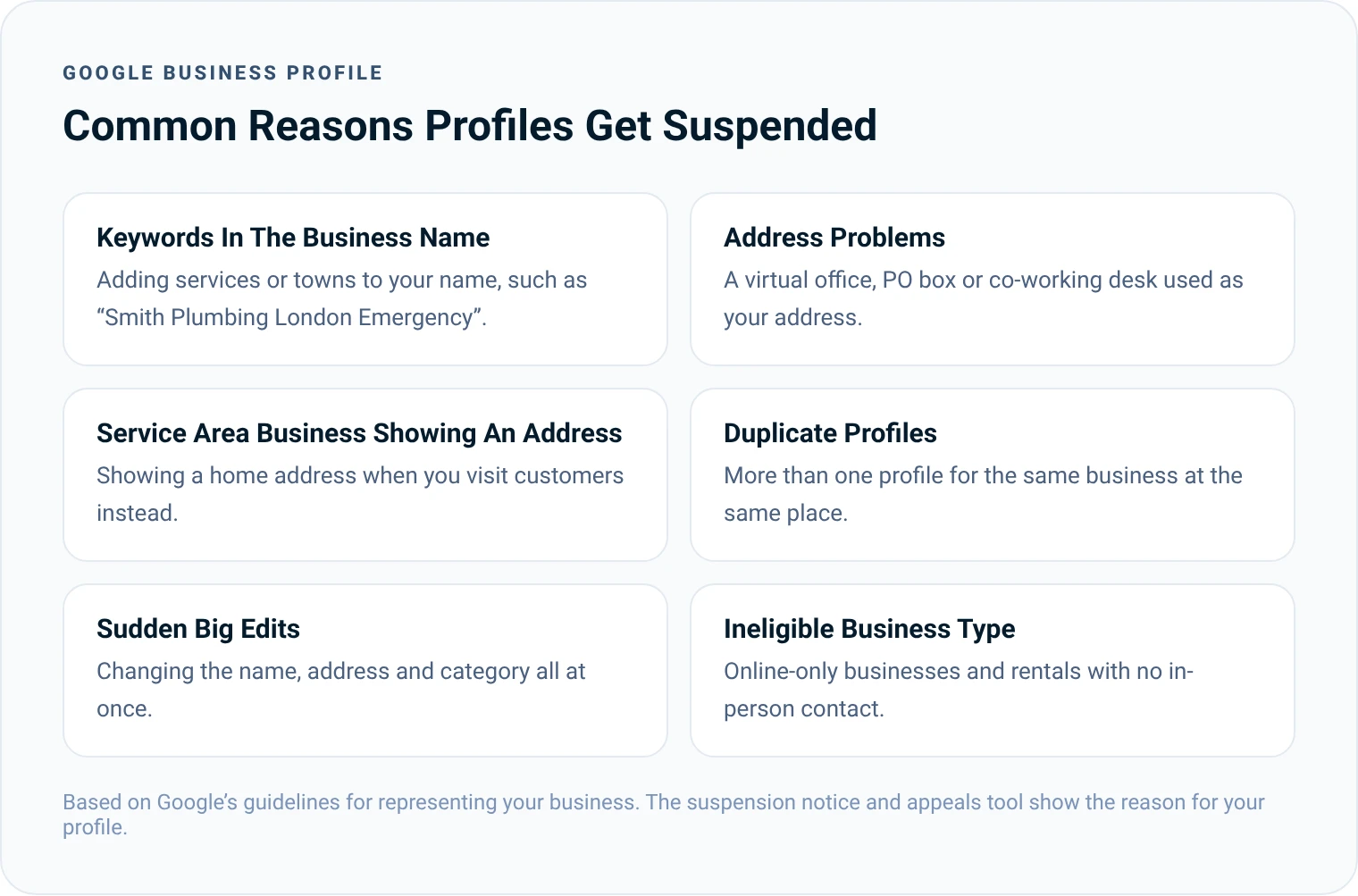
- Keywords in the business name. Your profile name should match your real-world name, such as the name on your signage and paperwork. Adding services or towns to it is one of the most common causes.
- An address you do not really operate from. Virtual offices, PO boxes and shared desks that you do not staff are not allowed as a business address.
- A service area business showing an address. If you travel to customers and do not serve them at your premises, you should hide your address and list your service areas instead.
- Duplicate profiles. Two profiles for the same business at the same place, often created by accident or by an old agency.
- Big changes made at once. Editing your name, address and category together can trigger a review.
- A business that is not eligible. Google Business Profiles are for businesses that make in-person contact with customers. Online-only businesses are not eligible.
Step 1: Do Not Rush The Appeal
The worst thing you can do is start an appeal straight away. Google's help pages say appeals can be submitted only once per decision. If you appeal before fixing the problem, or without evidence, you use up your best chance.
Before you click anything, read the decision in the appeals tool, then read Google's guidelines for representing your business from start to finish. Compare every part of your profile against them.
Step 2: Fix The Problem
Correct anything that does not follow the guidelines. That might mean changing your business name back to your real name, removing a virtual office address, hiding your address if you are a service area business, or removing a duplicate profile.
Also check who has access to the profile. Remove any old managers or agencies you no longer work with. A profile that is managed cleanly is easier to defend.
Trust and reputation matter more than ever. Your review presence has to be in shape, and everything people find about your business should show it is credible.
 Christopher LierSEO Consultant And Founder Of LinkPanda
Step 3: Gather Your Evidence
Google lets you add supporting files to your appeal. The evidence Google lists includes:
- Official business registration
- A business licence
- Tax certificates
- Utility bills, such as electricity, phone, water or internet
The business name and address on each document should match your profile. If your profile name and your registration do not match, fix that before you appeal. Photos of your signage, your premises and your branded vehicles can also help show that your business is real.
Step 4: Submit Your Appeal
Google now handles appeals through its Business Profile appeals tool. The steps are:
- Open the appeals tool and sign in with the Google account linked to the profile.
- Select the profile, then the decision you want to appeal.
- Read the reason and policy link shown for the decision.
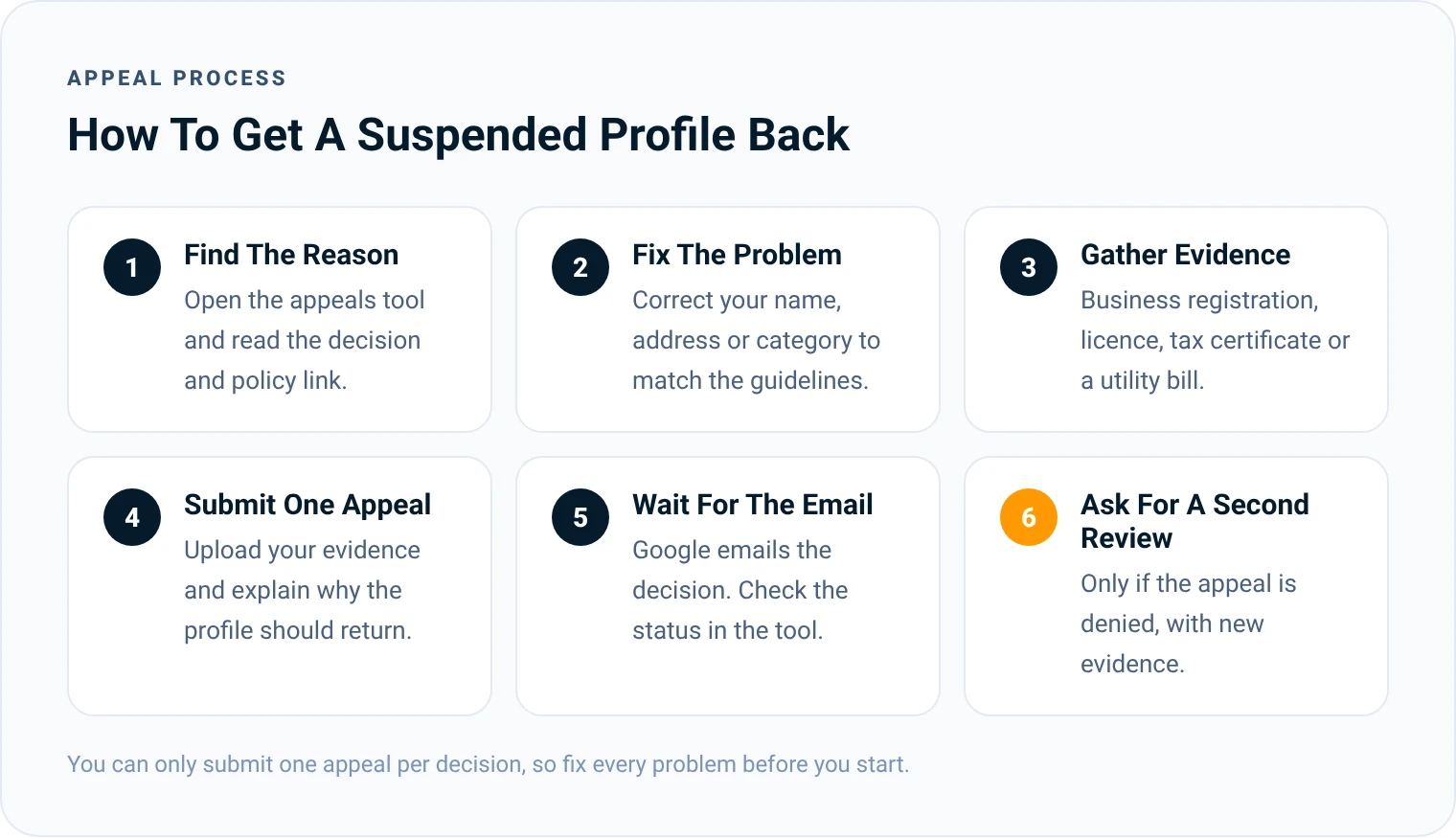
- Upload your evidence and explain briefly why the profile should be reinstated.
- Confirm you are ready and submit the appeal.
Keep your explanation short and factual. Say what the business is, where it serves customers, and what you have changed. There is no need for long stories.
If you manage more than 10 suspended profiles, the tool asks whether you are requesting bulk reinstatement. In that case, Google asks for a spreadsheet listing each Business Profile ID, plus supporting documents.
Step 5: Wait For The Decision
Google emails you the result. You can also check the status of your appeal in the tool. It will show as submitted, approved, not approved, can't be appealed or eligible for appeal.
If the appeal is approved, the profile comes back with its owners and managers. Check your name, hours, categories and photos straight away, because some details may need updating.
What To Do While You Wait
A suspension does not stop customers searching for you, so make it easy for them to find you in other ways while the appeal is reviewed.
- Make sure your website ranks for your own business name and shows your phone number clearly on every page.
- Check your listings on other directories, such as Bing Places, Apple Business Connect and trusted industry directories, are complete and correct.
- Tell regular customers how to reach you directly.
- If you rely heavily on local calls, consider a short paid search campaign to cover the gap.
- Do not keep editing the suspended profile. Wait for the decision before making further changes.
If Your Appeal Is Denied
Google says that if your reinstatement request is denied, it may be able to do an additional review. You can submit this through the contact form on its appeals page and add evidence you did not include the first time. Businesses in the European Economic Area may also have extra ways to seek redress.
Whatever happens, do not create a new profile for the same business. Google's help pages say this directly, and a new profile is likely to face the same problem.
How To Avoid Another Suspension
Once your profile is back, keep it safe with a few simple habits:
- Keep your profile name exactly the same as your real business name.
- Make changes one at a time, not all at once.
- Use a real, staffed address, or hide it if you visit customers.
- Never offer discounts or gifts in return for reviews.
- Check your profile each month for edits suggested by the public.
- Limit access to the people who need it.

When To Get Help
If you are not sure why your profile was suspended, or your appeal has already been denied, a local SEO specialist can review the profile against the guidelines before you try again. Our local SEO service covers Google Business Profile management, and our guide on how to create a Google Business Profile explains how to set a profile up the right way from the start.
Christopher Lier
Christopher has worked in SEO since 2015 and is the founder of LinkPanda, the agency behind SMESEO. He helps small and medium-sized businesses get more customers from Google and AI search.
More about Christopher